Vândut de libris.ro
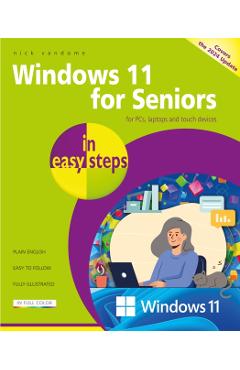
Windows 11 for Seniors in easy steps, 2nd edition is written with older citizens very much in mind. It will guide you through using Windows 11, a step at a time, and covers all the key features in the Windows 11 2024 update (24H2), including: n Navigating the Desktop, Start button, and Start menu with ease, to feel comfortable getting around the Windows 11 interface and accessing items on your computer. n Harnessing the power of Artificial Intelligence (AI) with the Copilot feature to easily find items on your computer and the internet. n Staying connected with family and friends with the updated Outlook app that combines the Mail, Calendar, and People (address book) features. n Using the Chat function within the Teams app to make video calls to family and friends, for face-to-face communication. n Making the most of the range of settings in Windows 11, to customize it just the way you want. n Using the Quick Settings panel to manage your most frequently accessed settings. n In addition to covering all the features in the latest version of Windows 11, there is a new chapter entitled Getting Things Done, which covers some of the most common tasks that you can perform with Windows 11. These include: secure online shopping; booking a vacation; making money from online auction sites; printing photos; completing household accounts; creating effective letters; and connecting to the internet at home or on the move with a Windows 11 mobile device. n Packed with tips throughout, this leading guide for seniors will help you get more out of Windows 11 - at your own pace! nWindows 11 for Seniors in easy steps, 2nd edition is written with older citizens very much in mind. It will guide you through using Windows 11, a step at a time, and covers all the key features in the Windows 11 2024 update (24H2), including: n Navigating the Desktop, Start button, and Start menu with ease, to feel comfortable getting around the Windows 11 interface and accessing items on your computer. n Harnessing the power of Artificial Intelligence (AI) with the Copilot feature to easily find items on your computer and the internet. n Staying connected with family and friends with the updated Outlook app that combines the Mail, Calendar, and People (address book) features. n Using the Chat function within the Teams app to make video calls to family and friends, for face-to-face communication. n Making the most of the range of settings in Windows 11, to cu
Preț:
Vânzător: Libris.ro
Brand: Nick Vandome